A Shottr alternative for Mac

From screenshot
to walkthrough.

A screenshot for the detail. A recording for the steps. ZaneShot brings both into one Mac app, with annotation, scrolling capture, and smart zooms.

One-time purchase No subscription macOS 14+

ZaneShot screenshots

Point out the detail.

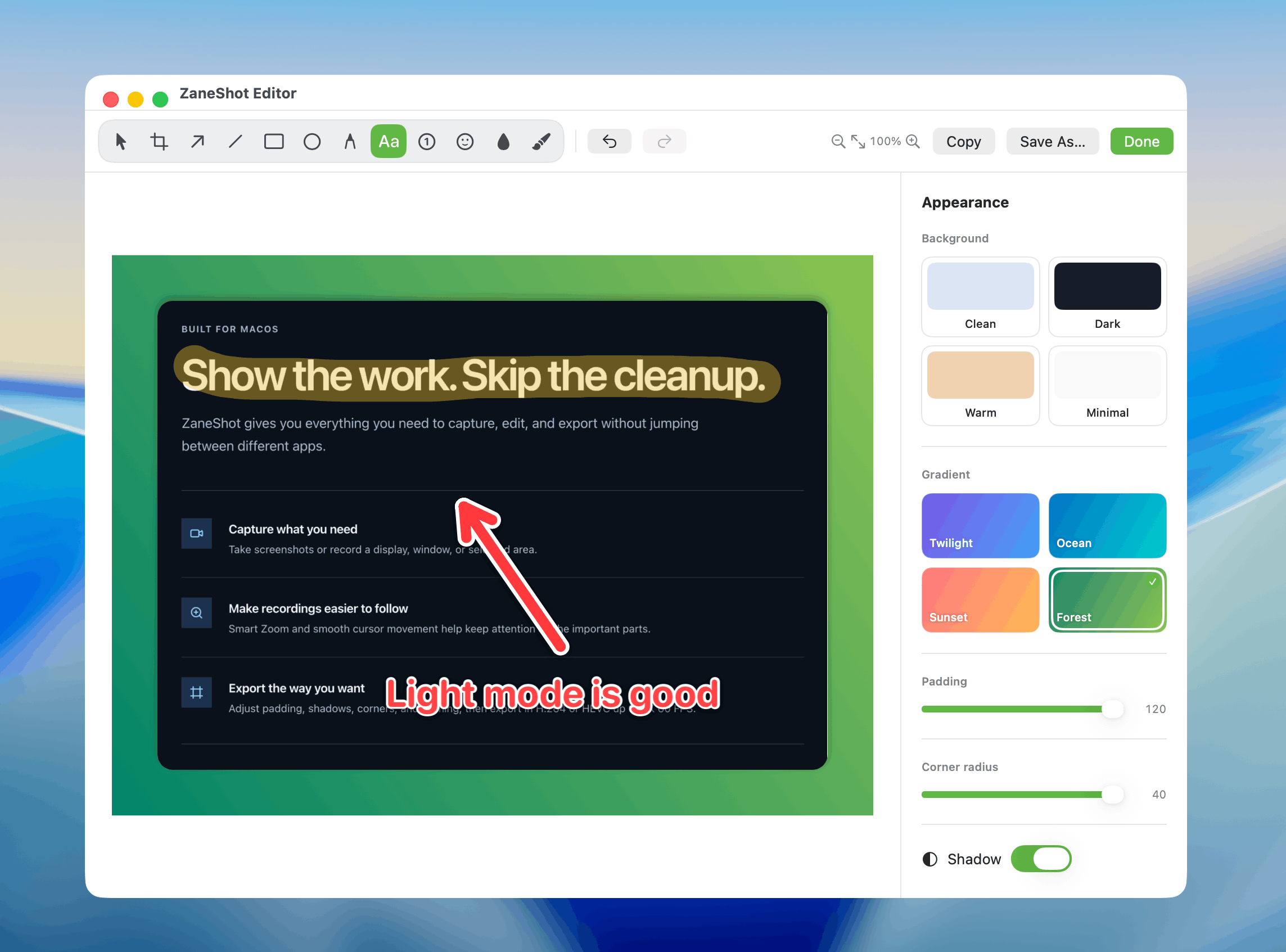
ZaneShot screenshot editor with annotation and background controls
Capture a window or scrolling page. Add arrows, text, and steps.
ZaneShot screen recording

Show how it works.

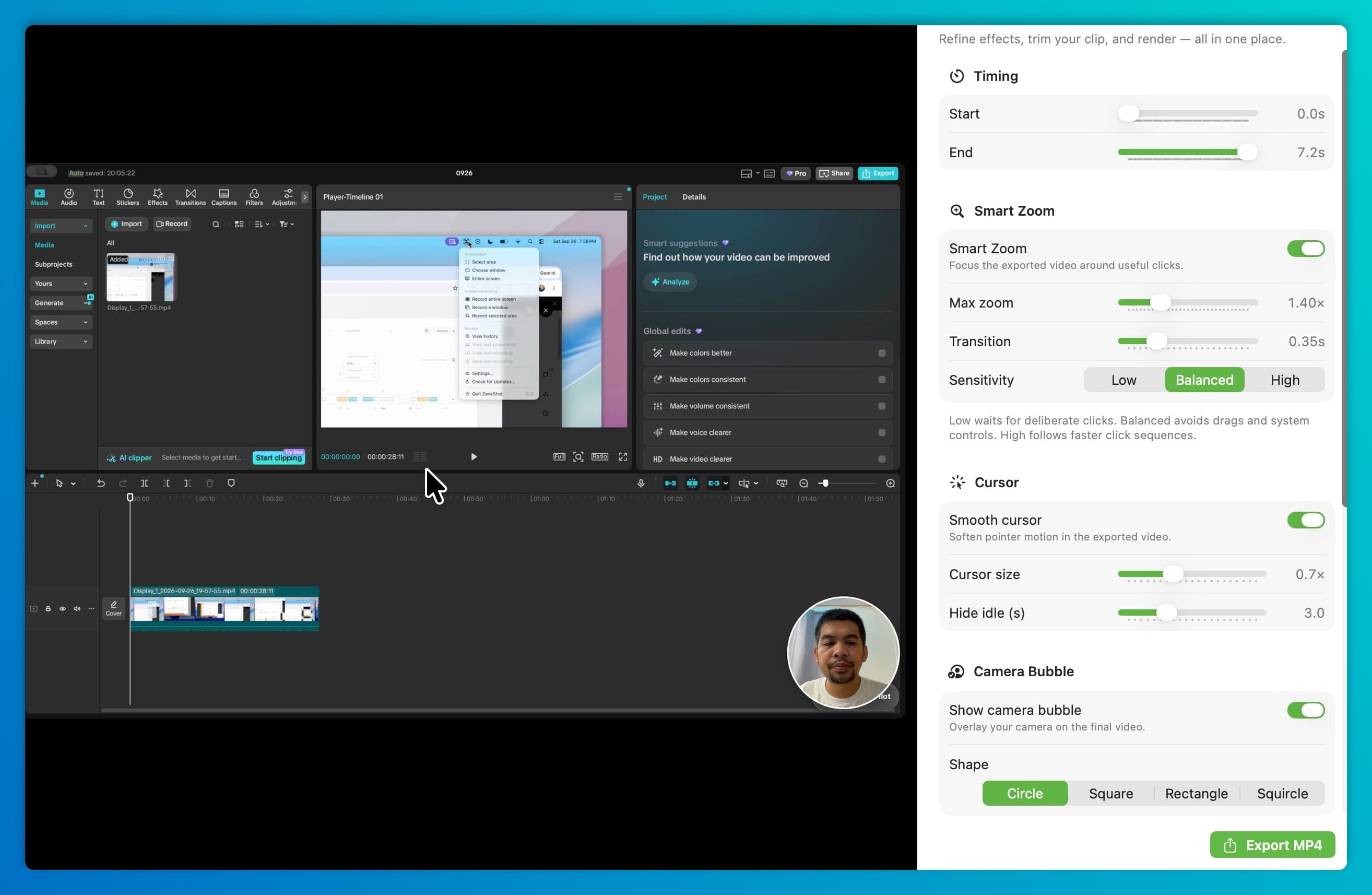
ZaneShot recording editor with smart zoom, camera, and export controls
Record a demo with smart zooms, audio, and a camera bubble.

ZaneShot vs Shottr

Compare the capture tools.

Start with the features you use and the Mac you work on.

Mac capture features and license terms
FeatureZaneShotShottr
Screenshots & annotationIncludedIncluded
Scrolling screenshotsIncludedIncluded
Pinned screenshotsIncludedIncluded
Screen recordingIncludedNot advertised
Camera overlay & recording zoomsIncludedNot advertised
One-time purchaseYesYes
Macs per paid license1 MacUp to 5, one user
Minimum macOS1410.15

Sources: Shottr features and system requirements and pricing and license terms, checked October 12, 2026. Recording features are not advertised on Shottr's feature page. Features and prices may change.

Choose ZaneShot

Capture the steps, too.

Turn a bug report, tutorial, or product demo into a recording without switching capture apps.

  • Screenshots and recordings in one place
  • Smart zooms, click effects, and camera overlay
  • No artificial five-minute recording cutoff
Explore screen recording

Choose Shottr

Work at the pixel level.

OCR, a pixel ruler, and a color picker suit detailed screenshot work.

Explore Shottr

Your next capture

One app for stills and steps.

Annotate a screenshot or record the whole explanation. ZaneShot keeps both workflows close, with one-time pricing.

Get ZaneShotOne-time purchase · macOS 14+

Before you decide

Questions about
switching from Shottr.

Also considering CleanShot X? See that comparison

Is ZaneShot a Shottr alternative?

Yes. ZaneShot handles screenshots, annotation, and scrolling capture, and adds screen recording with smart zooms and a camera overlay.

Is Shottr free?

Shottr offers a free option with upgrade reminders after 30 days. Its Basic license costs $12 and is required for commercial use. Friends Club costs $30. Paid licenses are one-time purchases.

Can ZaneShot record my screen?

Yes. Record your Mac with audio, smart zooms, click effects, and a camera bubble. There is no artificial five-minute cutoff.

Which app fits my workflow?

Choose ZaneShot for screenshots and recorded walkthroughs in one app. Consider Shottr for screenshot work that needs OCR, a pixel ruler, or a color picker.